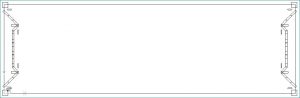
In a turret punch press, it is often fastest to make all hits with a given tool before changing to another tool. There are circumstances where it is necessary to override that behavior, such as when rapid travel from one edge of a long part to the other could dislodge a piece of scrap held on by micro-joints.
In the Digital Resources’ system, all tooling is done completely automatically. This example shows how we set up a rule for detecting when this tooling order is needed, along with a rule for applying the tooling order.
In this example, we want to apply this rule when tooling a component, such as a hollow metal frame HEAD or Double Mitered Jamb, that is long and narrow and has complex profiling which leaves a connected piece of scrap.
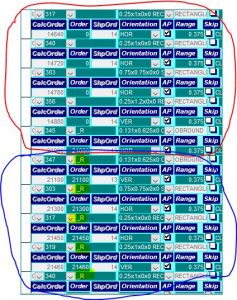
If the rule is triggered (the system recognizes such a part), then the system defines a boundary condition (in this case the middle of the part), and tooling hits that occur to the right of this boundary are automatically assigned a special “R” for right optimization group. Therefore, for each tool, we have a Left optimization group, and a Right optimization groups. We can set-up the order and direction of each tool/optimization group independently.
In the screen capture below of a section of the turret definition for this class of product, the tool instances circled in red go first, and then the tool instances in blue follow. Note that they have the “R” optimization group association.